Saturday, November 19, 2011

Award Winner

I've been making visual images for over 30 years, primarily through photography. I've posted many of them on my Hudson Artworks website (www,hudsonartworks.com) as well as on Facebook (http://www.facebook.com/HudsonArtworks). I've made images for personal satisfaction, not for notoriety or for money. I had never entered a photo contest or art show before.

Recently the city where I live held an art show, and on a whim I decided to enter. Each participant could enter up to three pieces of work. Not thinking much of it, I decided to enter. I selected three pieces and turned them in. I never even went to the show itself, which lasted a week.

After the show was completed I received a call from the organizers asking me to come and pick up my entries. When I picked up one of my photos, I noticed it won an award for Honorable Mention.


The photo is of an old church in northwestern North Dakota. It has been years, if not decades that this church held its last service. The stark beauty of the church against the bleak, empty prairie was a scene I could not pass up.

Saturday, March 5, 2011

Snowy Swing


I noticed this chair swing after a winter snowfall. I liked how the snow had begun to melt and created shapes like wet spaghetti - not to mention the contrast between the black wrought-iron swing and the (somewhat) fresh white snow

Thursday, March 3, 2011

Salt Lake City & County Building

The City & County Building in Salt Lake City, Utah is one of the most iconic and recognizable buildings in the state. Construction began in 1891 and was not completed until December of 1894. It is a wonderful example of Romanesque architecture.

The photograph below was made with a Canon Powershot S95. I took several images of the building in RAW format and sis some minor adjustments in Lightroom. Other than that the image is virtually straight from the camera.

Photograph of the Salt Lake City & County Building in Utah; a winter photograph of the City & County Building in Salt Lake City, winter landscape photography, an architecturally significant building photographed in winter

Tuesday, February 22, 2011

Chain Gang

Like many bloggers or webmasters, I have a list of links to other sites
that I find interesting.

On my website at www.hudsonartworks.com, I have a list of links on the
Contact/Links tab. However, the website platform I use has an option to display
more than one frame or window on a single page. Different panels can display
different content on the same page.

I thought it would be interesting to highlight the 'links' concept by trying to
develop a visual component to 'links.' On that page, the 'links' to the other
websites are in text, and next to the listing of links are visual treatments of,
well, links. When I think of 'links', the first visual image to cross my mind i
s one of chain links. However, a standard chain link is a bit cliche' - not to
mention boring.

So I set out to explore some ways to show links.
This shot is pretty straightforward. Chain links against a white backdrop.
Not much going on creatively; what you might expect from anyone who
had the brilliant idea to dress up their links page with - WOW! A photo of chain.


In this next execution we now have a bit of color happening. A bit of glow,
a bit more interesting. Still links, but this version is somewhat more engaging.


This is a bit more interesting. Kind of like a 1970's Black Light look. Dark,
perhaps not quite 'menacing', but there is a bit of mystery going on, maybe
even a hint of malice. There is definite attitude in these links. I quite like this.


This one has a crisp, metal look to it. There are some interesting black
highlights going on, with some subtle hints of blue and orange. We've moved
away from the straightforward standard chain links into something
a bit more visually compelling.

To see how it looks on the website go to www.hudsonartworks.com and click
on the Contact/Links page.

Saturday, February 12, 2011

Know you know where to go

Guys, now you have no excuse if you don't know where to go.


No more excuses.

Thursday, February 10, 2011

Super-Duper Massive Megapixels Blowout!


I was browsing some of the camera review sites the other day and came across a blog post about, for lack of a better term, ‘Pixel-creep.’ You can read the full post here.


I don’t personally know the author of this post, but his site is well organized, has lots of sections, and had actual advertising! So he must know his stuff, certainly more that I do. But when I read his post about camming more and more megapixels into smaller packages, i.e. point and shoot cameras, well, I just had to smile. Here is an out-take from his post:

“I just saw that one of the camera manufactures is releasing a 16 MP compact point-and-shoot camera. 16 MEGAPIXELS IS TOO MANY ON A COMPACT! Period.”

I have two digital cameras – a Nikon D300 with 12.3 effective Megapixels and a Canon Powershot S95 with 10 Megapixels. Obviously the D300 is my primary camera, which I use for anything I plan ahead to shoot, and for and those other instances where I might reasonable expect to find something unique to shoot. I have had this camera for over two years have never regretted my purchase. I always shoot in RAW format.

Recently I purchased the Canon Powershot S95 for my day-to-day, walking-around camera. Too many times I’ve been someplace where I have some across a scene or event that begs to be photographed, only to be missed because I wasn’t lugging the D300 everywhere. I chose the S95 because it was one of the few ‘pocket’-type cameras that allow for  RAW image capture.

I did not consider Megapixel count.

I am aware of the limitations that come with a digital ‘pocket’-type cameras. And I am aware that having more than 10 or 12 megapixels is overkill, for all of the reasons the authors of this post articulates.
However, the person who wrote this rant (his term, not mine) is a professional photographer. I was, at one point, but no longer. These days I make the majority of my income as a marketer, and in my role as a marketer I love the way the camera companies are selling these cameras.

Here’s why.

The digital transition opened the doors to millions of people who had never taken a photograph other than a Polaroid. The cost of a decent camera that shot anything other than insta-prints or prints that came back from the yellow Foto-Mat booths was very expensive. Even then, the cost of film made people very selective for each image they made.

When digital photography became mainstream, almost anyone could buy a 3.1 megapixel camera and never have to buy film again. Suddenly, photography was affordable to the masses.

As megapixel counts go up, the perceived value of the camera goes up as well. As the perceived value goes up, price point rise. As the price rises, the margin rises. Rising margins equate to higher profits, some of which in turn are hopefully plowed back into R&D. Which, ultimately, will lead to improved higher end models for the professional level cameras.

This is America, land of the free and the home of ‘Let’s Make a Buck!’ Reaaly, is someone wants to buy a point and shoot camera with 16 megapixels, why shouldn’t we sell it to them? Maybe having a point and shoot camera with more megapixels than your neighbors’ point and shoot camera makes that person feel better about themselves. We do it with cars, we do it with lawnmowers, we do it with our barbeque grills – why not with cameras?

Let’s let the professional photographers choose the cameras they feel with give them the best results possible, and let the millions of point and shoot camera owners keep buying the highest megapixel cameras they can afford. Everybody wins! The great unwashed masses have some bragging rights, the professionals will benefit with better cameras thanks to the profits Nikon and Canon will make from the over-pixelated point-and-shooters.  

Monday, February 7, 2011

Rosebud County, Montana Courthouse

Today's post is about the County Courthouse in Rosebud County, Montana.  Rosebud County is in southeastern Montana, near the Wyoming border. The town of Rosebud, conveniently located in Rosebud County, sits hard on the south shore of the Yellowstone River and is ten miles to the east of Forsyth on I-94.  Forsyth is actually the County seat, and is the location of the Rosebud County Courthouse - not Rosebud. Go figure. 

The sign below is found at a rest area off I-94, and it gives a little bit of the history of the county and the area to those travelers who do more than just stop to use the restrooms.


This sign reads:"From July 28, 1806 when Wm. Clark passed Rosebud Creek on his way down Yellowstone, this river valley was served as one of the major avenues for development and trade in eastern Montana. Innumerable trappers and traders followed Clark's route, including the American Fur Co. which constructed Ft. Van Buren at the juncture of the Rosebud and Yellowstone, in 1835. The fort proved unprofitable and was abandoned in 1843.
Buffalo Hunters took over 40,000 robes from this area alone during the 1860's and '70's shipping them out by river boat. The slaughter disrupted eastern Montana's Indian culture and precipitated several years of bloody confrontation, culminating in the Battle of the Rosebud on June 17, 1876, and the Battle of the Little Bighorn eight days later."

Rosebud County was carved out of Custer County in 1901. I don't know why. It probably doesn't matter. The area was explored by traders ad fur trappers. It turns out Rosebud Creek was full of beavers. After much debate, the county was named Rosebud and not Beaver. Which is probably a good thing, because Rosebud Creek is still around. I am not sure how many beavers are left.

This also happens to be near the spot where Lt. Col. George Armstrong Custer camped along the banks of Rosebud Creek a few days before the Battle of Little Bighorn. We al know what happened there, don't we?  Perhaps if you are thinking about camping near here, you might want to rethink that idea.

 Here is a photo I took of the Rosebud County Courthouse. You will see that this building is much like the Divide County, North Dakota County Courthouse from an earlier post. Three stories, stone finish, a dome at the top. Many County Courthouses share a similar design.


The Rosebud County Courthouse was built in 1912.  The cost to build the structure, furnish and landscape the grounds was about $175,000. Remember, that's in 1912 dollars. It would be just a bit more to build it today. It turns out there was a bit of an issue with cost overruns, which apparently the local government did not want to pay for, or perhaps did not have the funds to pay for. The builders, having completed the job and feeling as though they were entitled to get paid, simply locked the doors. The people of Forsyth protested, the Judge threw the contractors in jail, and after everyone cooled off, the courthouse was opened.


Here a another view of the Rosebud, Montana County Courthouse.


Because this building is in Montana, and those were the days of the wild wild West, the building would not be the same if there weren't a unique story that becomes part of the local lore. There is an actual bullet hole located in one of the seats in the Courtroom.  During a trial, there was a question as to whether a shotgun held as evidence could accidentally go off, as alleged by one of the parties.  The Sheriff said the gun could not go off accidentally. He shook the gun to make his point, and, you guessed it - the gun went off.
 
In 1927 the Richland County Commissioners used the Rosebud County Courthouse plan to build an identical building in Sidney but with brick facing instead of sandstone. what a bunch of copycats they are up in Sidney.

.

Sunday, February 6, 2011

County Courthouses from across the West

For some time now I have been taking photographs of county courthouses across the western United States. I find it interesting to see the different architectureal styles different counties selected when designing and building their signature buildings. Particularly in the rural counties, I have found that counties which constructed their buildings in the lat 1800s to early 1900s tended to build the classic, imposing buildings with a grand staircase leading up to imposing doors, and topping their building with a dome or other architectrueally unique or significant feature.


One of my favorite county courthouse images comes from Divide County in Northwestern North Dakota.

As you can see, this building has a towering entryway, is three stories tall and is topped with a white dome. 


In 1873 Wallette County, which included Divide County in the Dakota territory was created. However, it was never organized due to a lack of settlers. In 1883 Wallette Co was divided into Buford and Flannery Counties. In 1891 they became Williams County. In 1910 Williams was divided into Williams and Divide County.
The population in 1911 was about 6,000. It reached a peak of 9,627 in 1920. The population in 1997 was approximately 2,899. 
As of 2000, the population was 2,283. 


The County seat is Crosby named for S.A. Crosby of Portal, who first plotted the townsite.


The name Divide results from two factors, that division from Williams County and the fact that Divide County lies on the Continental Divide between the watersheds that flow into the Gulf of Mexico and those that flow into Hudson Bay.  Divide's name may also derive from the fact that it lies on the boundary between the United States and Canada

According to the U.S. Census Bureau, the county has a total area of 1,294 square miles (3,351.4 km2), of which 1,260 square miles (3,263.4 km2) is land and 35 square miles (90.6 km2) (2.68%) is water.

Thursday, December 9, 2010

Shoot the Navigator


Man and woman driving down the interstate:

Woman - "Honey, I think we're lost."
Man - "No, I know exactly where we are."
Woman - "Are you sure?"
Man - "What, you don't trust me?"
Woman - "No, it's just that..."
Man - "Look, that's our exit right there - Exit 192."

Two hours later...

Woman (exiting car, slamming door) - "Next time, BRING THE DAMN MAP!"

Wednesday, December 8, 2010

Canon Powershot S95

In my last post I mentioned that I was going to purchase a Canon PowerShot S95 digital camera. My primary reason for this purchase is that the PowerShot S95 captures RAW images. I have become accustomed to shooting RAW format with my Nikon D300, but there are times when I don't want to haul the big Nikon around. It is nice to have a small 'pocket' camera that still has a high-quality lens, a good sensor and the ability to capture images in RAW.

So I was very excited to try out my new camera just before Thanksgiving. I took several shots in RAW format and went back to my computer to load them into Lightroom. Imagine my surprise when I discovered the Canon Powershot S95 raw format iags cannot be rad by Lightroom.

Of course, the camera ships with Canon software that allows the user to view the RAW images, and make very basic adjustments. It is a very poor substitute for the full Lightroom suite. In fact, I would argue the Canon software is virtually worthless. At best you can convert the RAW file to JPEG. That's about it.

After doing a Google search and reading up on the issue, it appears there will not be an update to Lightroom 3 that will allow users to import RAW files from the Canon PowerShot S95 for several months.  So I am back to where I was before I purchased the Canon PowerShot P95 - unable to capture and enhance raw images from a digital 'pocket' camera. Shame on Canon for not noting the RAW files from the P95 are not compatibile with the leading RAW image editor.

Sunday, November 28, 2010

Cutting the Christmas Tree

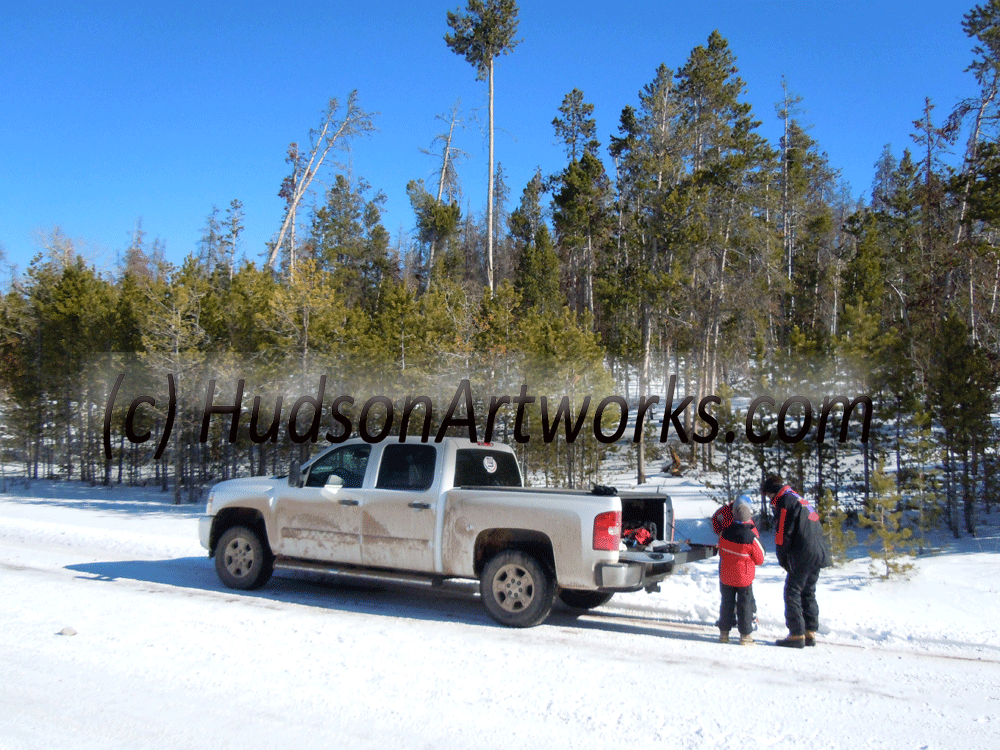
One of our family traditions is to forego the Christmas tree lot and drive into the mountains to cut our Christmas tree. Living where we do, in the heart of the Rocky Mountains, there are many places only a few hours away where one can drive into the mountains on Forest Service logging roads and choose from thousands of fresh, pristine mountain pine trees.

We were fortunate to have good weather for our excursion into the mountains. Although the road was snow-covered, the snow was not deep and the clear skies and mild temperatures made for a safe and enjoyable day.


Finding the right tree from among literally thousands can be a daunting task.  "This one looks good," I'll shout to my wife, about a hundred feet away.  "What do you think of this one?"she'll holler back. Our sons' will also weigh in with their opinions.

After much tromping around through the woods, we eventually agree upon a tree.  For the size we are looking for, no chain saws are needed. A simple, sharp tree saw is all we need to fell a nice 9-foot pine, which you can see in the video below.


Once the tree is cut, the next task it to haul it back to the truck. Easier said that done!


It's not until the tree is cut that you realize just how heavy a freshly cut pine tree really is. It makes you appreciate how much hard work in involved in cutting loading, wrapping all the trees you see on those lots. I'll settle for one, thank you very much!


Once the tree has been dragged to the truck, we load it in, tie it down and take the obligatory family photo, proving once again we braved the elements and got our Christmas three the old-fashioned way.  However, as you can somewhat see from this photo, the truck gets a bit dirty in the process.

The next day it is clearly apparent how much Forest Service road the hard-working pickup took home as a souvenir.  While I'm all about driving around the neighborhood and letting the neighbors see how 'authentic' we are when it comes to tree procurement, at some point the rig needs a good, thorough cleaning. 


After we got home and had dinner, we unloaded the tree from the truck and set up the tree stand. My wife and kids washed up and got the lights ready. I placed the tree in the stand and get it properly situated. I washed up, and finally it was the pickup's turn.


What a difference a shower makes!


Tuesday, November 23, 2010

Let's Get Raw

I have had a passion for photography and image creation for over 30 years. I remember developing black and white negatives by hand in college, and purchased my own chemical tank so I could process my own film in the bathtub (yes, I really did that).

As a TV news photographer in the late 80s and throughout the 90s I became accustomed to instant image gratification – shoot video in the afternoon, edit for broadcast in the evening, watch it on the news that night. I often carried a still camera around with me in addition to the video camera, but in those days it was still film.
I invested in a Hasselblad camera and dabbled in Wedding and Portrait photography, but never pursued it to the point of ‘going pro.’ What I realized was that I didn’t want to make photography my living – it was better suited to be a passion.

When digital cameras came along I was thrilled. No longer concerned with the cost of film, I was free to experiment to my heart’s content. I sold the Hasselblad ( for half of what I paid for it!) and bought a digital camera and a Mac.

For years I was content shooting JPEGs. Instant photography, without the Polaroid limitations. Shoot it, see it. Import onto the computer, open Photoshop, play around. What could be better?
RAW.

Yes, I am a RAW convert now. If you are reading this and don’t know what RAW is (from a photographic standpoint, not a meat standpoint), the best way I can explain it is that a RAW photographic file could be thought of as a digital negative. If you processed B&W film and creative negatives, you took your neg into the darkroom, put it under the light and created a print. If the print did not turn out as well as you had expected, you went back into the darkroom and tried dodging and burning. After much trial and error, you got the print you wanted or gave up in frustration. What you still had, at the end of the day, was a clean negative. No matter how many prints you made, as long as you didn’t scratch the neg, you still had a chance to create the print you envisioned.

A RAW file is the equivalent of a negative. Using programs such as Lightroom or Aperture, you import a RAW file and can manipulate the color, saturation, hue, sharpness and more. You can correct for chromatic aberrations, adjust the color temperature and exposure – all without physically changing the pixels that make up the file.

To see the results of your digital manipulations, you export the file from Lightroom or Aperture as a JPEG, PSD, TIFF or other format.  Don’t like what you see? Go back into Lightroom or Aperture and try again. Your RAW file is still pristine.

Full disclosure – RAW files tend to be large. They can become storage hogs. Because they are digital, they don’t fit into the polyurethane sleeves I used to store my old negatives in. Now I buy portable hard drives and store the RAW files there. Expensive? Yes, to an extent. But I can’t tell you how many times I’ve gone in search of a specific RAW file to provide an element I wanted for a photo composition, or to adjust an element of a photo I once liked but now wish to improve.

If you are interested in learning more about working with RAW images, do a search for Aperture or Lightroom and go from there. But let me warn you – once you go RAW, you’ll never go back.

Thursday, November 18, 2010

Nikon or Canon?

As a photographer, whether professional, pro-sumer, or simple snapshot-taker, you never know when you might stumble upon a scene or image you want to capture. That’s why I almost always carry a small digital camera with me wherever I go.  There have been several times I’ve used it and been grateful for having the camera at hand. Particularly if you have kids, you never know when you will see your children do something clever, cute or simply ridiculous, and can capture the moment for future memories or blackmail.

My current ‘pocket camera’ is a Nikon Coolpix S8000. It is small, lightweight, has 14.2 megapixels, captures video (for those rare occasions when I want to do that) and a 10x zoom lens. It fits easily into a pocket and the battery allows for about 210 images per charge. I’ve been very pleased with the camera, and had planned to keep it for a long time.

On the other end of the camera spectrum, my primary or ‘real’ camera is a Nikon D300. This is the camera I use when I shoot sports, scenes and other images where I want maximum sharpness, resolution, and may want to color correct, sharpen or experiment with. One other key feature the Nikon D300 has over the pocket camera is the ability to capture images in RAW format. The ability to work with RAW files allows the user to enhance the image without losing or compromising data. If you don’t like how an image turned out the first time, you can start from scratch. It’s like a negative from the old film days – you can make several prints from the same negative, each one a bit different from the others, and still have your original image capture in pristine condition.

Once you’ve become comfortable shooting RAW images, when you work with a camera that only provides a JPEG output, you feel stuck.  Which is how I have been feeling recently, wishing I could capture RAW images with a pocket camera.

I took a trip to my local camera store (Pictureline – Salt Lake City) and lo and behold, there actually are ‘pocket cameras’ which capture images in RAW format. The Nikon Coolpix P7000 and the Canon PowerShot S 95 both offer RAW image capture capabilities.

It turns out there are other ‘pocket’ cameras that allow for RAW image capture. I don’t know why I didn’t think to explore this sooner, but for whatever reason I always thought RAW capture was a high-end, digital SLR feature only. Turns out that is not the case.

Having been a Nikon guy for awhile, it pains me to look at a Canon model, but I have been looking at the Powershot 95. But after looking online and comparing the two cameras, I’m torn. The Nikon CoolPix P7000 has some terrific features, including a 10MP CCD sensor, a 7x zoom (28-200mm equivalent) f/2.8-5.6 with 2 ED elements and built-in ND filter, ISO range from 100-3200, the RAW capture option (.NRW format) as well as NRW+JPEG (fine), 4 Picture Control preset modes + custom mode, four Picture Control preset modes + custom mode and Dual IR receivers (front and rear) for wireless remote control ML-L3. This is a very nice feature set in a relatively small package.

The Key word for me, though, is ‘relatively.’

I almost always carry my Nikon Coolpix S8000 with me. I have two kids and when we are out doing something, it doesn’t matter what, I will usually snap a few photos of them. Sometimes it’s a ‘we were here’ thing, other times it’s a ‘look how ridiculous we are acting’ thing, occasionally it’s a ‘oh no, did I really do THAT?’ thing. These moments have yielded some fun images, and it’s because the camera will fit nicely into my pocket. I would not have captured any of them with the Nikon D300 – even if I did have it along.

Occasionally, though, I will also see a scene or object that I would like to capture. In my mind’s eye I am already seeing the image in Lightroom and visualizing how I will use that program to make the object or scene come to life. With the Nikon Coolpix S8000 I cannot capture RAW, and therefore can’t realize the end result of what my minds eye has already created. This has been frustrating.  

Having been a Nikon guy for awhile, it pains me to look at a Canon model, but I have been looking at the Powershot 95. But after looking online and comparing the two cameras, I’m torn. The Nikon CoolPix P7000 has some terrific features, including a 10MP CCD sensor, a 7x zoom (28-200mm equivalent) f/2.8-5.6 with 2 ED elements and built-in ND filter, ISO range from 100-3200, the RAW capture option (.NRW format) as well as NRW+JPEG (fine), 4 Picture Control preset modes + custom mode, four Picture Control preset modes + custom mode and Dual IR receivers (front and rear) for wireless remote control ML-L3. This is a very nice feature set in a relatively small package.

The Canon also has a 10 MP CCD sensor coupled with a DIGIC 4 sensor with iSAPS technology. The lens has a 3.8 Optical zoom - a bit less than the Nikon (okay, maybe more than ‘a bit’ less), an ISO range from 80 – 3200, RAW capture, second curtain sync, built-in flash, and a host of shooting modes. The Canon P95 shoots HD movies.

Bottom Line for me, the Nikon is too large for me to consider it a true ‘pocket camera.’ It looks like it is going to do just want I want it to do – allow me to capture my kids silly moments as well as provide a means to get more ‘semi-professional’ images, created from RAW files.

Check back in awhile to view some images made with this camera.

Tuesday, November 16, 2010

Lovin' Lightroom

For those of you who use Lightroom, a new set of presets have been released. Perfect Presets for Lightroom 3.0 now offers a third volume of effects, encompassing 192 presets in all. 
 
Not to be a shill for private companies, but if you use Lightroom as much as I do, you will find having presents can speed up your workflow. I enjoy playing around with my images and experimenting to achieve different effects, but there are times when I know what I want, and presents can cut the time spent on the computer down significantly.

 
Perfect Presets for Adobe Photoshop Lightroom, available in the Develop Module of Lightroom, includes 3 collections – The One-Click Wow collection includes presets for quick and easy image optimization such as color and tonal correction. Rather than futz around, if you like the results these presets deliver you can run your batch and be done. 

 
If you want to experiment, Wow effects includes presets and brushes for adding special effects to images. If your looking for powerful and popular effects including noise reduction, black and white conversions and several stylized effects, there is a package for that as well.

Sunday, October 24, 2010

Winter is on the way

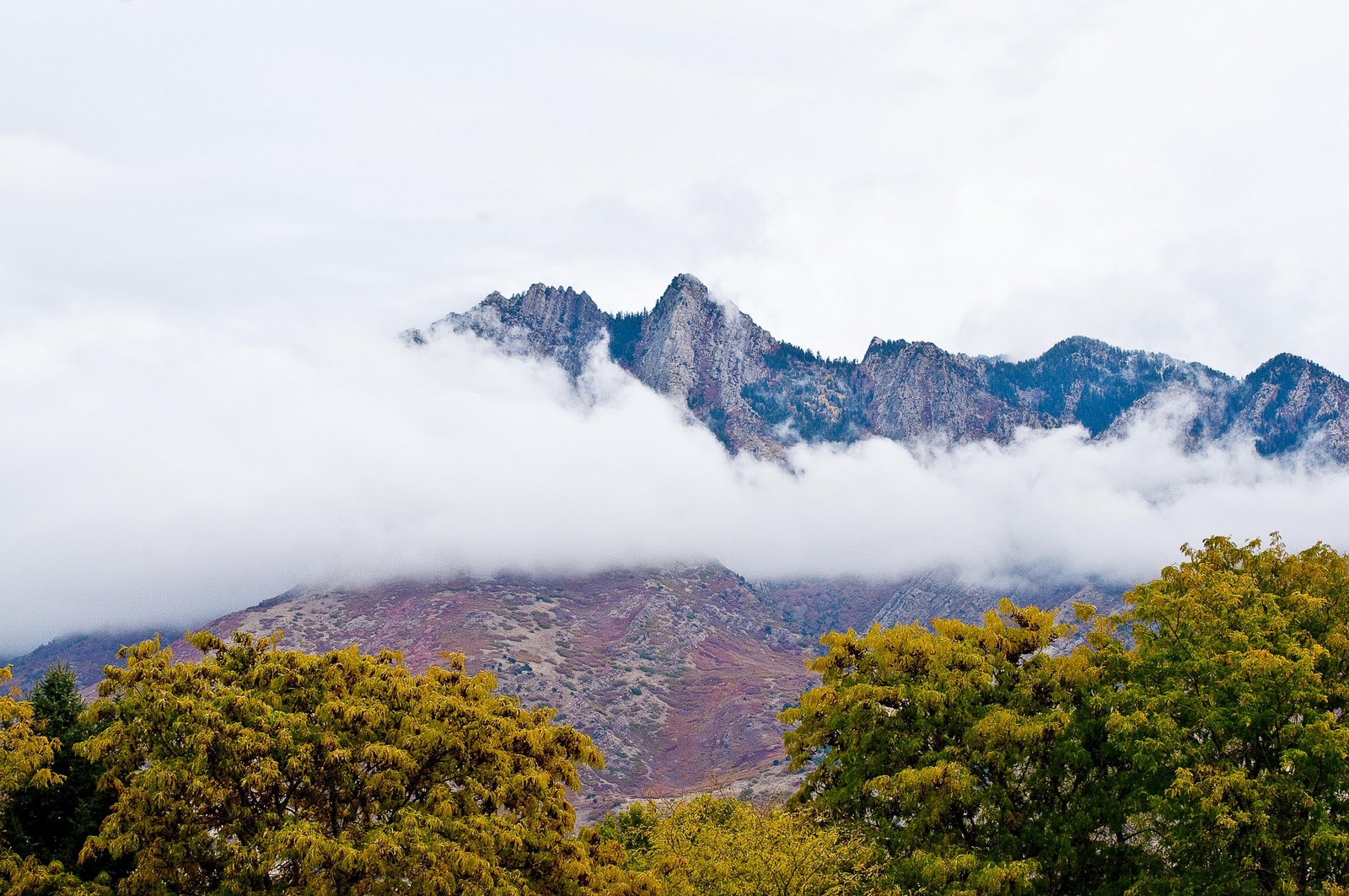
The first noticeable dusting of snow appeared on the tops of the mountains this weekend.


The autumn colors contrasted nicely with the cold, stark gray of the mountains and the clouds cruising just below the peaks.

It also contrasted nicely with the uniforms of the football player participating in Ute Conference football on this Saturday in late October, as the Jordan White Gremlins played Olympus.


#68 for Jordan is my son, a hard-charging eight-year-old with the tenacity of a tiger. While a bit undersized, #68 plays with passion and does his best every down.


 Whether it's running a pass route knowing the ball won't be thrown his way, or coming off the corner in futile pursuit of a back he will never catch, #68 never quits and has a upbeat, positive attitude.


Yes, without question there were more talented players on the field this day, for both teams. Yet #68 went out on the field every time his number was called, gave his very best effort, and was a positive factor and influence for his teammates. Though the day would not belong to the Jordan Beetdiggers on this blustery Saturday, for #68 and his Dad, it was another Saturday afternoon spent together. 

For this old man, it just doesn't get much better than this!

Thursday, October 21, 2010

Photo Gearhead update

An announcement from Apple Computer today will be of interest to photographers who use iPhoto and/or Aperture. For those unfamiliar with iPhoto or Aperture, iPhoto is primarily a photo cataloguing program for snapshots, while Aperture is geared for  photo enthusiasts and professionals who require sophisticated controls for editing and cataloging. 

If you are one who geotags photos, iPhoto '11 and Aperture 3.1 can create slideshows that interleave the photos with views of a map with automatically generated labels to show where the next photos in the sequence were taken. Personally I am not into geotagging, but if you are a geotagger, features such as this can help turn the data into something interesting. 
The upgrades to iPhoto and Aperture lets people export them for Apple TV devices and, more important for photographers pitching prospective clients, iPads. 
For you Facebook and Flickr users, Aperture 3.1 can export photos better than previous versions. For example, photos can be published directly to the Facebook wall, not just to its photo albums. The software can also retrieve Facebook comments on published photos.
Performance for both programs is better in a number of areas. Here is a short list of what is now or has been fixed:
Core editing controls for curves, levels and highlights and shadows are improved,
Zooming images to a 100 percent view,
Exporting images that have been heavily edited,
Importing large libraries of photos is now easier,
Straightening and cropping edited images.
I personally use iPhoto for snapshots and as a repository for personal or family images. I don’t do much in the way of editing or manipulating in iPhoto. I use Lightroom for my professional images.

Monday, October 18, 2010

Website finally closer to completion

Finally, the HudsonArtworks website is finally approaching something resembling version 1.0.

If you are reading this on Blogger, Google Reader or some other content aggregator, click on over the the HudsonArtworks website at www.hudsonartworks.com. You'll notice some changes if you have been to the site before. If you haven't been to the site, click on over and check it out. New since the last post here you will find:

I have loaded some of the Greeting Card images to the Cards page, which should help drive sales heading into the holiday season. These fine-quality greeting cards are unique, one-of-a-kind greeting cards and are printed, cut, scored and packaged in my studio. If you are looking for an inexpensive gift for a friend or loved one, consider one or more of these cards. You are guaranteed to give a gift your intended will not have already received.

The first collection of images for the Fine Art Photography pages are in place. Click on the page link to see a half-dozen or so images rotating in the frame. These are somewhat representative of the images I am currently working through. I've already enjoyed some sales of these images, mostly to collectors who were aware of my work prior to creating the website. Over the next few months you'll see new images and collections appear and take shape.

The About page now has additional content. Please feel free to leave a message or 'sign the guestbook,' as it were.

the EtCetera page is a work in progress. You can see my recent Twitter activity here, but I'm still working through other treatments and content. For now I am using this page as a Google page ranking driver - fresh (relevant) content on your pages helps your site show up in the search engine returns. Obviously photo sites have limited options for fresh content, and with the platform I am currently using the options for 'alt' tags for photos are few. So blogging and Tweeting are ways to get the search engines to crawl my pages and increase my traffic.

Speaking of traffic, I am always willing to reciprocate links.

Drop by www.hudsonartworks.com to check out my latest work.

Monday, October 11, 2010

Youth Football

Saturday October 9 was a busy day of youth football for Hudson Artworks. Not because we shoot youth sports photos as a business, but because our two sons play football and we take photographs.

Game two featured a Hudson wearing #68 in the maroon jersey of the Jordan Beetdiggers. #68, while smaller in stature than others on the field, plays with the heart of a champion. #68 is unafraid to battle foes bigger and stronger than he is, and never gives an inch.

In the next photo #68 continues to battles #59 of the Herriman Mustangs. This sequence of photos will culminate with #68 for the Diggers taking his man out of the play.


Woe were the Herriman Mustang defenders who faced #68 on this day. In fact, the next image will show one of the Jordan coaches pointing at #68 after making the block that sprang the running back for a big play.

For those who are interested, these photos were taken with a Nikon D300 with a 70-300MM Nikon lens. It is a crisp lens and easy to focus. It is well-suited to youth football, and is affordable, which is no small consideration.

In this final photo one of the Diggers' coaches is pointing to #68 for making the block that set the running back on his way to a big gain.

Friday, October 8, 2010

Work in Progress

The Hudson Artworks website is still a work in progress. I still have the 'This Site is Under Construction' notification on the home page, which, if you are looking at this on the site as opposed to on Blogger, you have already noticed this.
Last evening I spent a few hours formatting photos to fit on the site and making them web-friendly. This weekend I will group them into categories and by Monday I should have slide shows running on the Fine Art Photography page.
I've also activated the Twitter Icon on the bottom of the home page, so you can follow my twitter posts.
Please continue to visit the site and read the blog.

Wednesday, October 6, 2010

Getting Closer to launch

We are in the process of preparing to 'offically' launch the website. If you are reading this from the Blogspot site, you can visit www.hudsonartworks.com and click on 'Blog.' The site is technically still under construction. The photo galleries will be in place very soon, the greeting card images will begin to go up early next week, and additional pages will be added in the coming weeks. The site design will evolve over time. Please feel free to leave comments and continue to follow our progress as the website comes to life!